> ## Documentation Index
> Fetch the complete documentation index at: https://help.semji.com/llms.txt
> Use this file to discover all available pages before exploring further.
# How to set up the sending of email reports?
> Get your workspace performance updates sent by email.
### Why receive a report by email ?
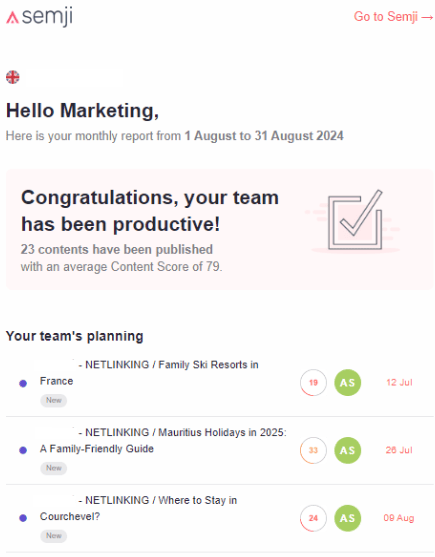
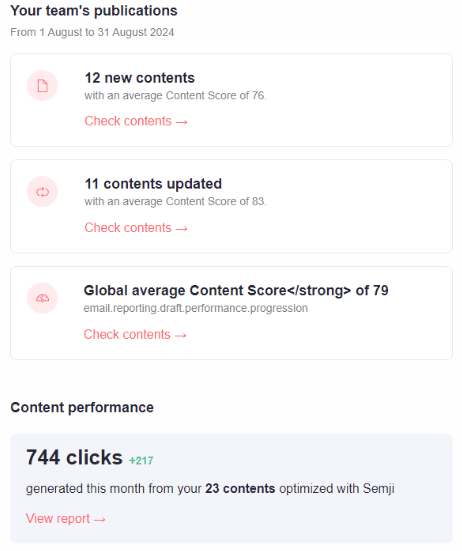
This **new feature** provides you with a weekly or monthly summary of your actions and performance via email.
It allows you to review the team’s schedule and track the performance of your content.
You will also discover new content ideas and identify pages that need optimization. This will help you manage your content more efficiently and maximize your results.
Here’s a **preview** of the summary email you will receive :
 ### How to set up a performance report by email ?
> Note: You will automatically receive your performance report by email. If you no longer wish to receive it, you can follow the steps below to deactivate this feature
#### Here are the steps to set up your performance report
* Go to the SEMJI settings
### How to set up a performance report by email ?
> Note: You will automatically receive your performance report by email. If you no longer wish to receive it, you can follow the steps below to deactivate this feature
#### Here are the steps to set up your performance report
* Go to the SEMJI settings
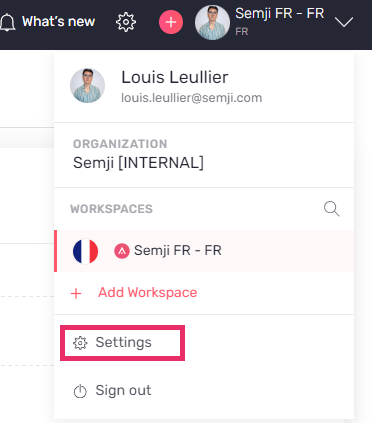 * Click on "notifications"
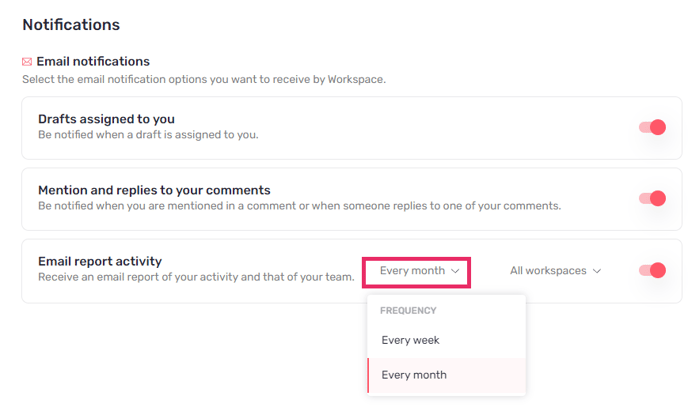
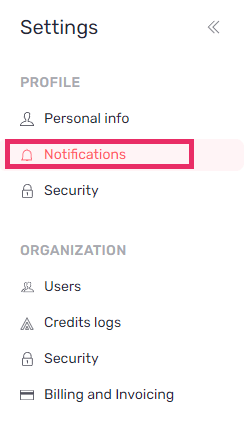 * Choose the sending frequency (weekly or monthly)
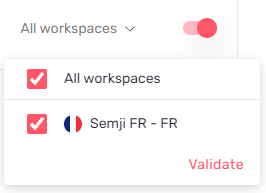
 * Select the workspace(s) where you would like to receive the reporting
 * And then activate or deactivate based on your choice
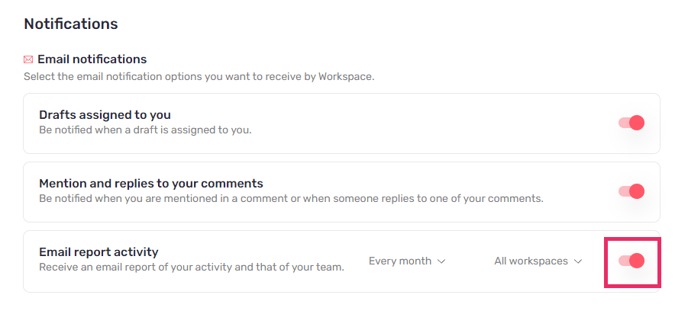 Your choices will automatically be saved
You can now receive your reporting emails at your email address and track your performance.
If you are set up monthly
* You will recieve your emails on the first day of each month
If you are set up weekly
* You will recieve your emails every monday
This documentation is built and hosted on [Mintlify](https://mintlify.com), a developer documentation platform.
Your choices will automatically be saved
You can now receive your reporting emails at your email address and track your performance.
If you are set up monthly
* You will recieve your emails on the first day of each month
If you are set up weekly
* You will recieve your emails every monday
This documentation is built and hosted on [Mintlify](https://mintlify.com), a developer documentation platform.