Home
Home Getting Started
 Help Center
 Developer
 Status
Here are the steps for distributing your IA credits:
Step 1:
Go to Semji’s settings and click on “Billing and Invoicing”.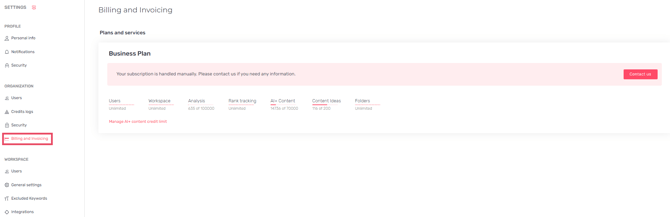
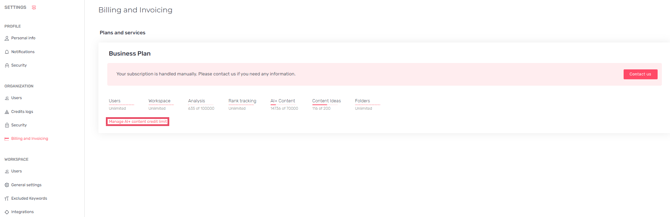
Step 3:
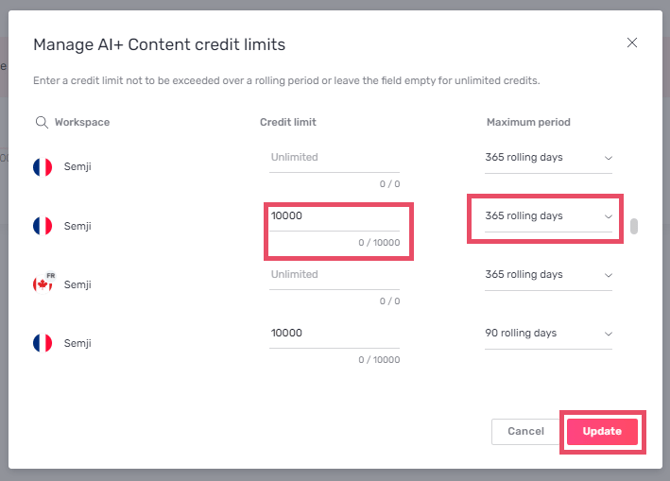
Add the allocation you wish to set up on your workspaces.Good to know 💡: You can specify a number of credits not to be exceeded over a rolling period, or leave the field blank for unlimited credits.