
Why does Semji use a bot?
Semji uses a crawler, commonly called a bot (or crawler, web crawler, web spider) in order to analyze and extract the content of your website as well as the pages that rank for your keywords.
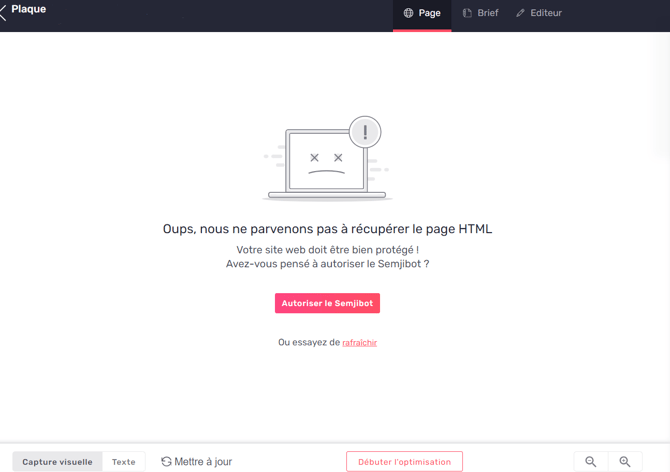
This bot, called SemjiBot, developed specifically for Semji's needs, has to be authorized to visit your website to extract its content, analyze it and show it within the platform.
If this is not possible, some of Semji's features will be restricted.
Technical limitation: If your website content is rendered in JavaScript, it will not be visible to SemjiBot. The content must be present in the DOM without JavaScript rendering to be accessible to the bot. This limitation is similar to that of other crawlers like ChatGPT's.
When does SemjiBot access my website?
- As a client, SemjiBot accesses your site when you import one or more pages into the platform.
- SemjiBot comes back when you request a synchronization of your content.
- SemjiBot can also come back in other cases and at different times of the week in order to improve the performance of your content.
How do I allow SemjiBot to browse my site?
Allow Semji's user agents
The SemjiBot identifies itself to the websites it visits using one of the following User-Agent strings:
- Mozilla/5.0 (compatible; SemjiBot/1.0; +http://semji.com)
- AppleWebKit/537.36 (KHTML, like Gecko; compatible; SemjiBot/1.0; +http://semji.com) Chrome/W.X.Y.Z Safari/537.36
In this context, "Chrome/W.X.Y.Z" is a placeholder that evolves with updates to the SemjiBot and may, for example, appear as "Chrome/79.0.3945.88".
This information should be processed by your technical team, who can then explicitly authorize SemjiBot for website access.
Allow Semji's IP adresses
On the other hand, if you have the possibility to allow public IP addresses used by SemjiBot, here they are:
- 63.34.75.122
- 63.35.78.179
- 54.228.104.165
- 18.200.156.37
- 34.248.117.83
- 52.213.28.177
Geolocated Redirects Management
SemjiBot Behavior Regarding Geolocated Redirects
The SemjiBot can detect 301 or 302 redirects when crawling your pages, which may sometimes be related to IP geolocation. These redirects may not be visible to you locally.
Why Does This Happen?
The SemjiBot uses IP addresses based in Europe (Ireland) and identifies itself with an accept-language header: fr-FR.
If your site performs redirects based on IP geolocation, the bot may be redirected to a different version of your site (e.g., https://site.com/page1 → https://site.com/FR-intl/page1).
Recommended Best Practices
To avoid indexing issues and ensure that the SemjiBot can access your content correctly:
1. Avoid Redirects Based Solely on IP
Google recommends not using automatic redirects based solely on IP geolocation.
These practices can harm your SEO and the indexing of your content.
2. Implement Proper Multilingual Management
It is crucial to implement proper multilingual management to ensure optimal indexing. Google recommends using hreflang tags to indicate the language versions of your pages and structuring your URLs by language or region. For more details on this approach, you can refer to Google's official documentation on managing multi-regional and multilingual sites.
Here are some best practices to follow:
- Use hreflang tags to indicate the language versions of your pages.
- Create dedicated URL structures by language or region (e.g.,
/fr/,/en/). - Offer a manual language selector for users.
3. Maintain Universal Access
Ensure that a default version of your site remains accessible without forced redirection.
Allow bots to crawl all of your content.
Impact on Your Semji Analysis
When the SemjiBot detects geolocated redirects:
-
The URLs imported may differ from those you see locally.
-
The analysis may focus on a different version of your content.
-
Metrics may be affected if the bot cannot access the desired content.
Technical Recommendations
Before importing your pages into Semji, make sure your site:
-
Does not automatically redirect based solely on IP.
-
Allows bots to access all language versions.
-
Correctly uses hreflang tags for international SEO.
Good to Know 💡: Test access to your site from different locations or use crawl testing tools to ensure your content is universally accessible.
Need Help?
If you notice unexpected redirects when importing your pages, contact our technical support. We can assist you in optimizing your setup to ensure optimal content analysis.