Home
Home Getting Started
 Help Center
 Developer
 Status
- Reminders to optimize Drafts;
- Notification settings (deadline reminder…);
- Editorial calendar view.
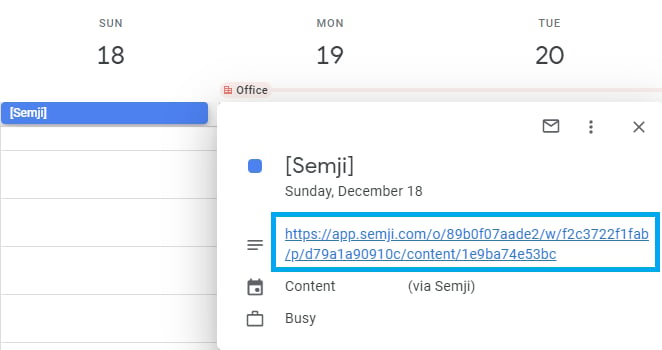
Important: This feature allows you to be redirected to the relevant Draft in one click. It allows editorial staff to outsource and manage their own workflow outside Semji.
How to synchronize your Semji Planning with your external calendar?
Follow these steps to synchronize your Semji Planning with your external calendar:- Go to Semji;
- Click on the Planning tab;
-
Click next to the “Create Draft” button, → Synchronize to your calendar;

-
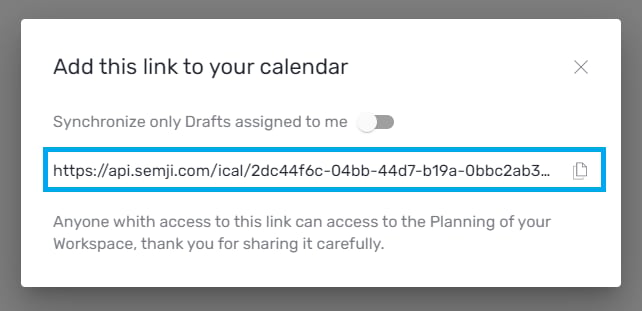
Copy the iCal link and add it to your external calendar. You can choose to only synchronize the drafts that are assigned to you;
-
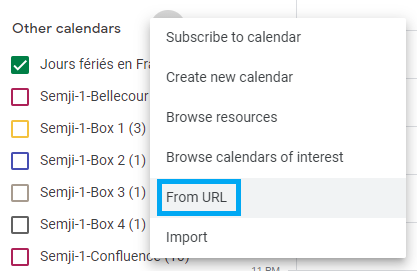
Click on the + next to “Other calendars” and then click on “From URL”;\
-
Paste the iCal link from Semji;\
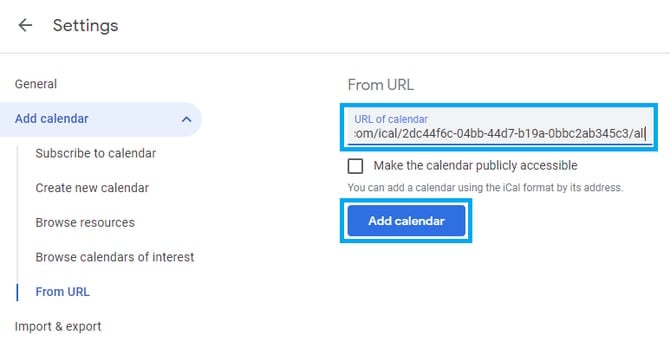
- Click on “Add calendar”;
- Find the redirection link to Semji to edit the assigned draft. Your Semji Planning is now available in your external calendar !