

 Home
Home Getting Started
 Help Center
 Developer
 Status
How do I connect to Semji with my Google account?
Logging in for the first time If you’re logging in for the first time, you’ll be asked to create an account. A “Connect with Google” button appears.
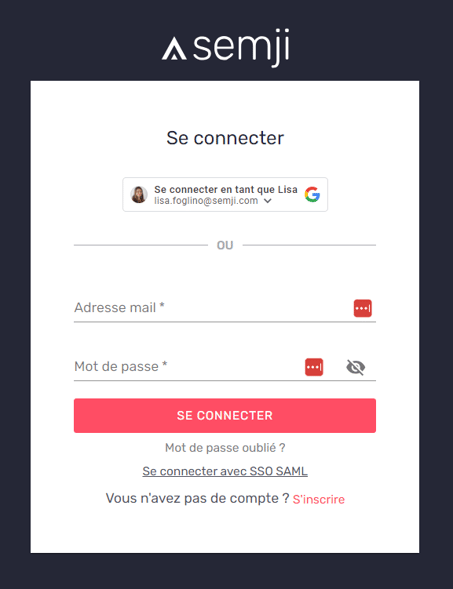
You are then invited to choose the associated Google Account (you can have more than one).
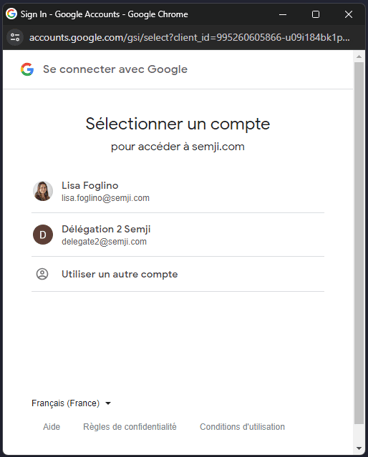
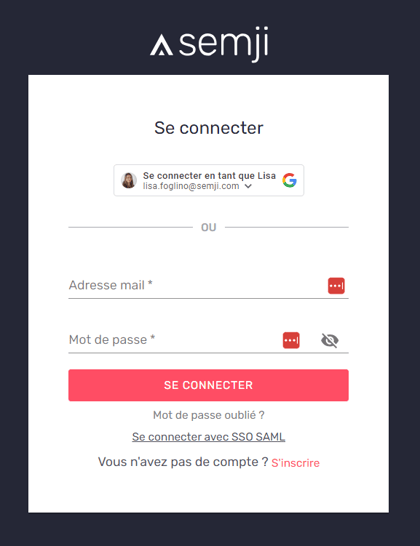
Once you’ve chosen the account you want, you’ll be asked to confirm the association in a new window. Congratulations, you’ve created your Semji account! Reconnecting to Semji after registration For all future use of Semji, you will be prompted to sign in using your Google account. You’ll then be taken to a login screen, and a “Sign in with Google” button will appear.
I can’t connect to Semji with my Google account. What should I do?
Are you getting an error message when trying to register or reconnect to Semji with your Google Account?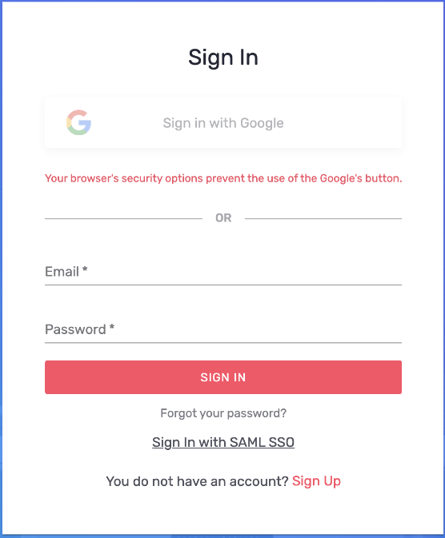
The solution proposed by Google is as follows:
When enabled, this privacy feature disables all cookies and iframe storage, which is required by Google to securely authenticate the user. One solution is to ask users who have disabled third-party data to create an exception for https://accounts.google.com by adding accounts.google.com to the allowed domains. In Chrome, this is done in chrome: // settings / content / cookies. If this feature is enabled for many users (some companies apply this setting to all their employees), another workaround is to implement a server-side OAuth 2.0 flowPrivate browsing with Chrome on iOs
Google Connection is currently not supported in private browsing mode on Chrome on iOS.Using Safari with Intelligent Tracking Prevention
This new feature in macOS High Sierra and iOS 11 disables third-party cookies every 24 hours, unless the user is interacting with one of the third-party domain pages. As the Google login library relies on cookies to securely authenticate the user, it will potentially detect that the user is logged out every 24 hours. The user must restart the login process to reactivate the cookies.(Source : https://developers.google.com/)
**
If you encounter a problem outside these identified limits, don’t hesitate to contact our teams on online chat!**