Home
Home Getting Started
 Help Center
 Developer
 Status
What is SSO via SAML?
SSO (Single Sign-On) enables a user with a login and password on a dedicated platform to authenticate on several other applications or websites using the same login and password. These third-party applications or sites only have access to a small part of the user’s personal information and data. Example: I connect to an application or e-commerce site using my Google or Facebook account. SAML (Security Assertion Markup Language) is a standard created to describe and exchange secure information. In this exchange of information via SAML, there are three parties:- users
- entity providers
- service providers
Why use SSO via SAML?
Some companies require their employees to use a SAML SSO mechanism for secure, single sign-on to the various web tools and platforms they use. This mechanism provides greater security for employee access to their online tools, and centralizes user management.Who can configure an organization’s SSO?
In Semji, users with the role of Organization Admin can activate and configure SSO. Find out more about user rolesHow do I configure an SSO connection via SAML in Semji?
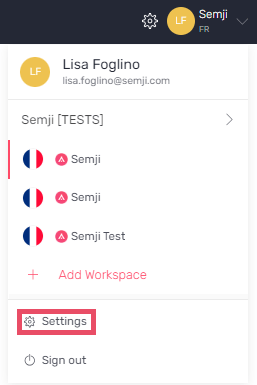
As an Admin user, log on to the Semji application:- Click on your profile, then click on Settings
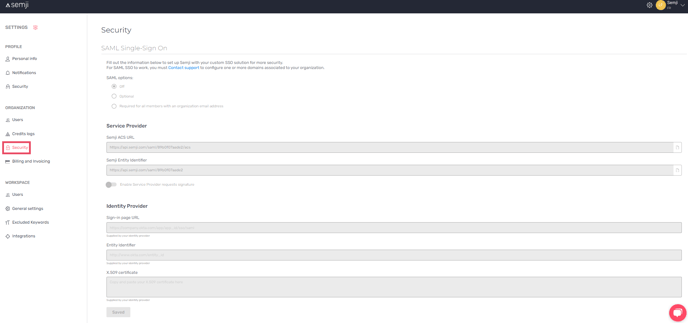
- Select Security in Organization settings to access the SAML SSO configuration screen.
Semji is configured so that only users with e-mail addresses belonging to domains linked to your organization can use SAML SSO authentication. For example, if your organization is associated with the domain monsite.com :
- the address utilisateur@monsite.com will be able to log in
- the address utilisateur@sous-domaine.monsite.com will not be able to connect using SSO
- the address utilisateur@mon-autre-site.com will not be able to connect with SSO
1. Setup your Identity Provider
You need to configure your SAML identity provider to authenticate your users on the Semji application. You must first configure how you will allow SSO connection via SAML to Semji:- Off : only classic authentication is allowed
- Optional : your users will be able to choose either classic authentication or authentication via your SAML identity provider
- Required for all members with an organization email address / Mandatory : your users will only be able to authenticate to Semji through your identity provider

- the ACS URL of the service provider (Semji ACS URL),
- the Service Provider Entity Identifier (Semji Entity Identifier).


2. Setup Semji
After configuring your Identity Provider, you must enter the following three pieces of information into Semji:- the URL of the Identity Provider’s Sign-in page (URL),
- the Entity Identifier of the Identity Provider, (Entity Identifier),
- the public key of the Identity Provider certificate (X.509 certificate).

Does Semji support IdP-Initiated Login?
No, Semji only supports Service Provider Initiated SSO authentication. This means that the login process must be started from Semji. Identity Provider Initiated logins (where a user clicks on an application from an IdP portal) are not supported.How do I connect to Semji via my SAML SSO?
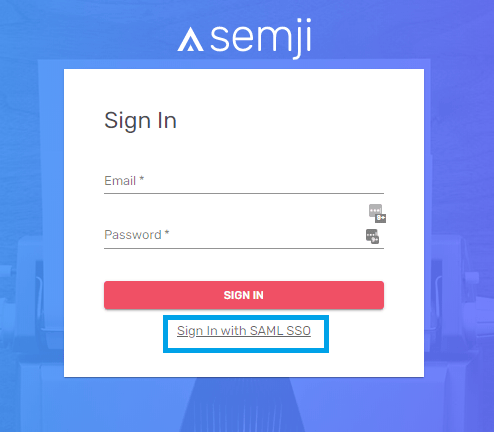
- Go to the Semji login page (https://app.semji.com/login)
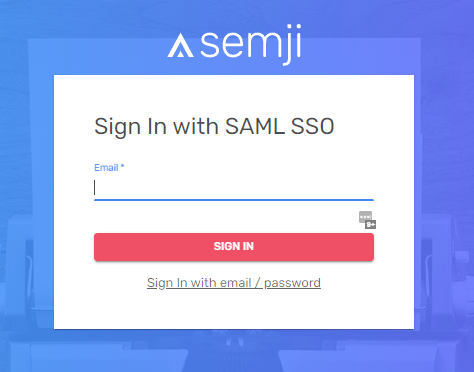
- Click on Sign In with SAML SSO, under the “Sign in” button