

 Home
Home Getting Started
 Help Center
 Developer
 Status
What is the purpose of the Content Ideas tab?
Semji’s new Content Idea algorithm provides you with ready-to-use keywords and content ideas you can use right away. This will allow you to create content on high-value topics or to enhance your topic clusters. From a theme or a generic keyword, the Content Ideas module allows you to easily identify additional keywords that are of strategic interest for your SEO performance. These are keywords to target through the production of new content. Using Semji technology, which identifies search intents, deduplicates and clusters them, and calculates potential SEO gains, this module improves the keyword research phase, a key step in your SEO strategy. Traditionally done with tools like Semrush or Ahrefs, keyword research can be time consuming and imprecise:- some keywords are complicated to interpret from the point of view of the intention they aim at and the type of content to associate with them ;
- some keywords are redundant and it is necessary to take the time to exclude them;
- some keywords already position an existing content, and it is then necessary to cross several data exports to identify them.
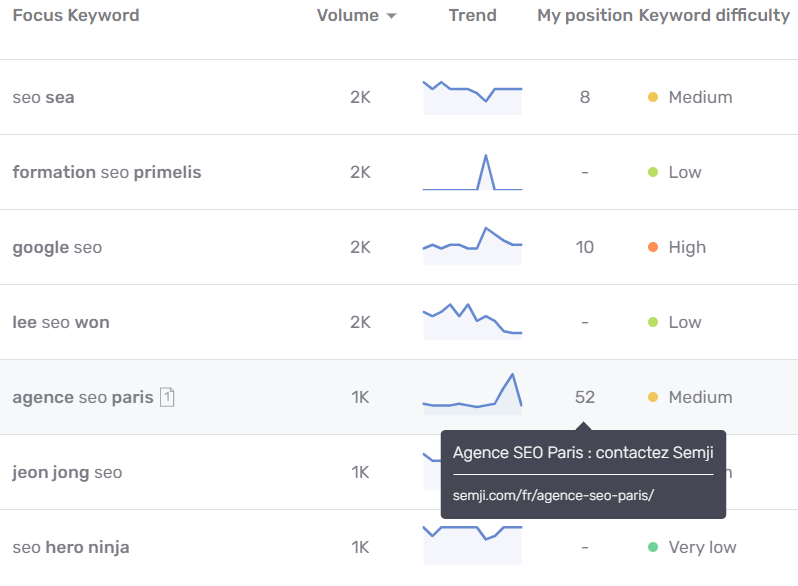
- the keyword’s search volume : Semji no longer offers Content Ideas with estimated traffic and zero volume. The goal is to provide ever more relevant Content Ideas with valuable search volumes;
- the search trend for this keyword over the last 12 months;
- the difficulty of the keyword (Low, Medium, High, Very high)
Note: You may notice a longer or shorter loading time on the Content Ideas feature, this is caused by double scrapping to extract data from Google pages to provide you with more relevant content ideas and avoid duplicates.
How do I use the Content Ideas tab in my SEO strategy?
Start by entering a generic keyword, short tail, representative of your strategic theme or a new theme you want to develop. For example, the keyword “spirulina”. Launch the search.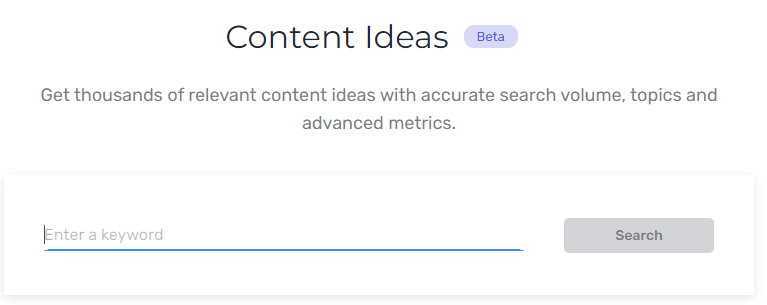
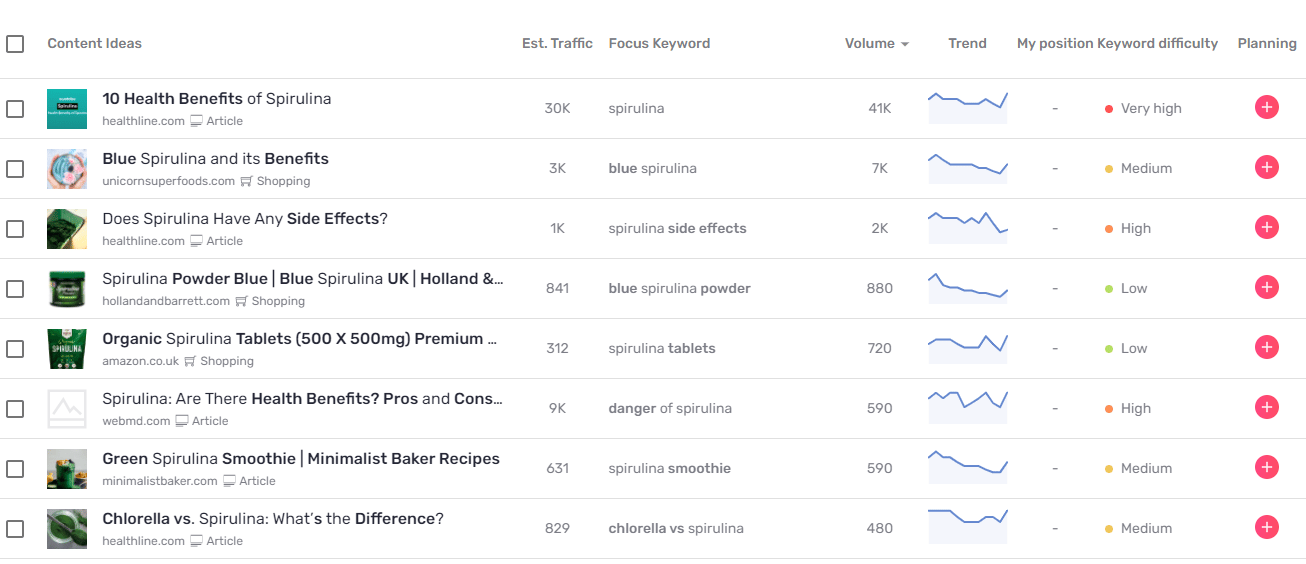
- Identify the keywords that invite you to create “Article” type content, responding to an informational intent, or “Shopping” type content, responding to a transactional intent;
- Filter the “Questions” type keywords that allow you to easily build the plan of a content providing an answer;
- Distinguish “broadmatch keywords” (including your initial keyword) from “related keywords”;
- And finally, if you wish, exclude branded keywords (linked to the brand of your root domain, for example “semji” for the site https://semji.com), thanks to the “Not branded” button.

The different metrics: In the content idea table, hover over the keyword data to learn more:
- A new measure allows you to identify the relevancy of the suggested keyword compared to the searched topic, i.e. the Proximity rate.
The closer you get to 100%, the more relevant and consistent the content idea is with the initial search. On the other hand, the further away from 100%, the less relevant the ideas will be from the initial search.
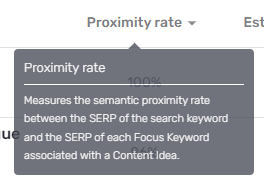
The Proximity rate provides the best results for the intent. By providing you with more relevant data faster, you’ll save time in identifying the right keywords.
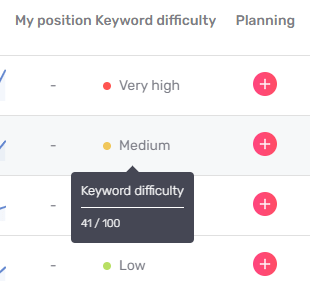
- Within the table listing the content ideas, move your mouse over the data associated with a keyword to find out more: for example, discover the exact score associated with the difficulty of a keyword
- In the “My position” column, as soon as a value is displayed, move the mouse over it to discover which content is positioned on the keyword. For example, in the case of Semji’s website, on the keyword “seo” on the French market:
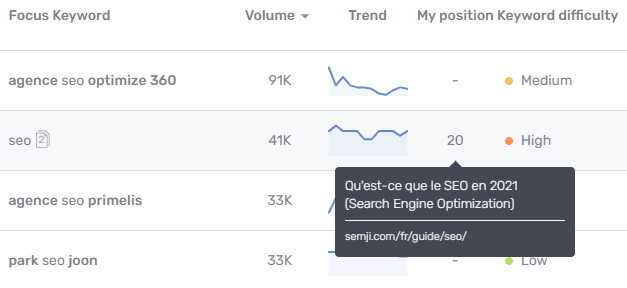
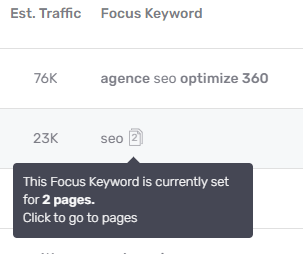
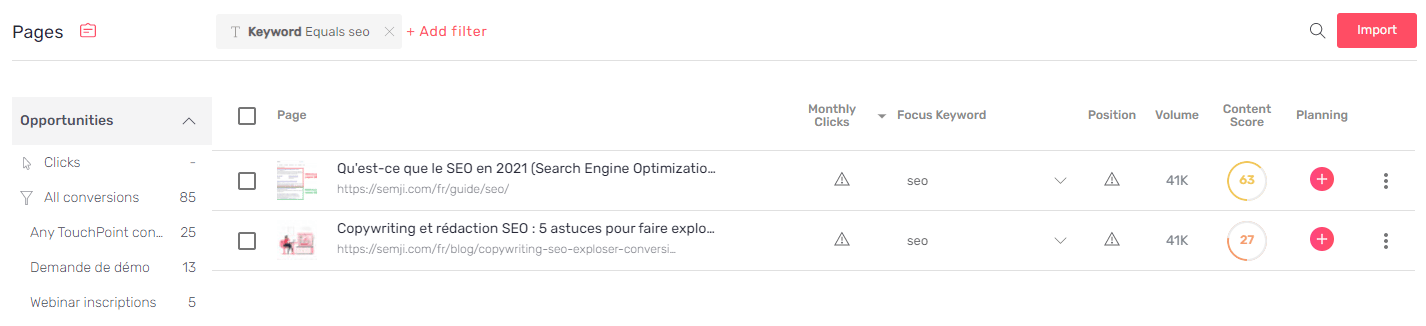
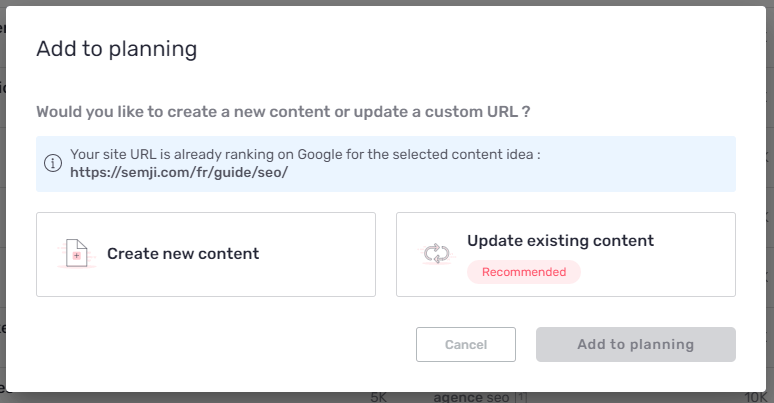
Good to know: Semji identifies these two contents because, during the automatic import of Pages when creating your workspace, the platform analyzes the data of your best contents in the Search Console. The keywords that position your performing content are retrieved. If the Content Ideas tab suggests keywords that position one of these already imported contents, you will see the information appear thanks to this pictogram. By clicking on the pictogram, you can directly access a filtered list in the Pages tab, and check for example that these contents do not cannibalize each other. If this is the case and they are not different enough in their angle and targeted keywords, rework them to allow Google and users to better distinguish them. Do you notice a difference between the position of content displayed in Content Ideas, and the position displayed in Pages? This is because the position in Content Ideas is a position at the moment of analysis, of the Google search launched. On the other hand, in Pages, it is the average position of your content over 30 days, taken by your Search Console.Note: if there is no pictogram associated with the keyword, but there is a value in the column “My position”, it is simply that another page of your website, not imported into the Pages, is positioned. It’s up to you to choose if you should import it and optimize it or not. Are you interested in several keywords? Click on the ”+” button to add them to your Planning. Semji will then suggest you to create a new content or to update an existing one.
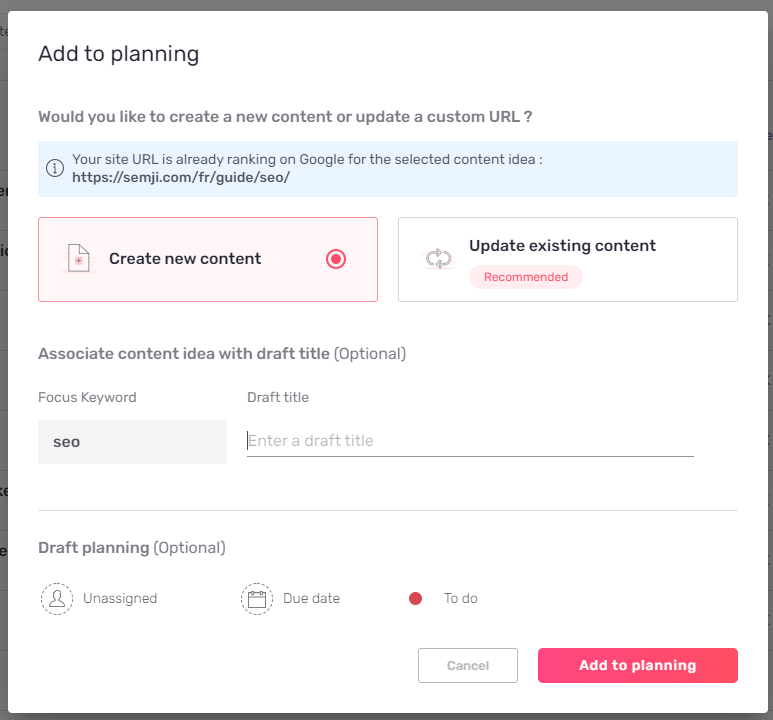
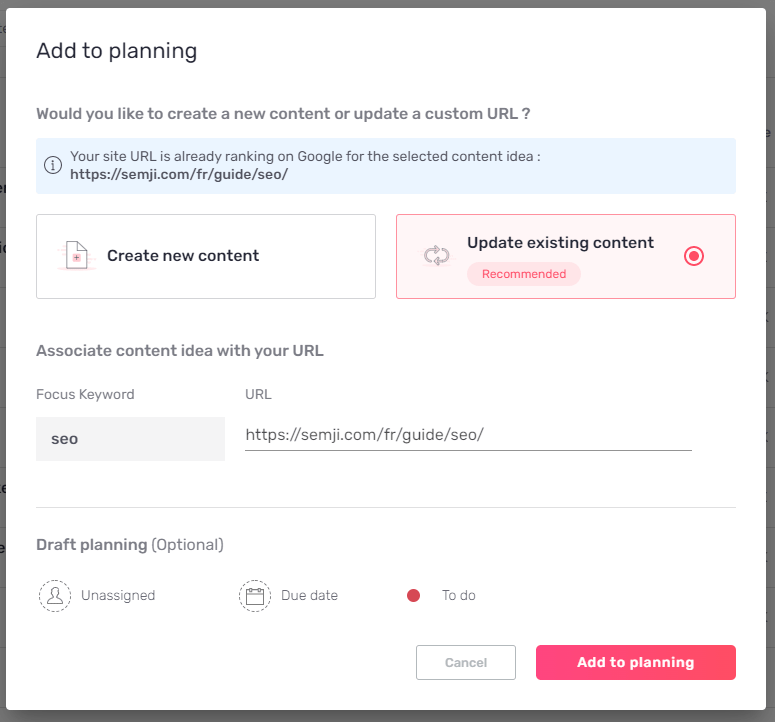
Use Content Ideas to create a topic cluster and improve your performance on your priority topics
At Semji, we recommend to many of our clients to apply the topic cluster strategy to achieve their SEO gains on a specific theme. This strategy consists in creating several contents - often informational contents - that link to one or several pillar pages - generally transactional contents: the informational contents link internally to the transactional pages. In doing so, they give them semantic authority and create user journeys that guide the user to the pages that allow them to convert. Informational content targets long-tail keywords, i.e. not very competitive, while transactional pages often target short-tail keywords, which are more competitive because they carry business stakes. For example, “makita coffee maker” is a short-tail keyword, searched 7,000 times per month, and has a transactional aspect. Semji classifies it in the “Shopping” category. The content to be produced to target this keyword must be, for example, a category page of a merchant site, listing products. We can confirm this by opening the page of the screwfix.com website which is positioned first on Google and generates an average of 5,000 monthly visitors on its page.

Use Content Ideas to find new business areas and boost your conversions or revenue
Also use the content ideas, this time filtering on “Shopping” type keywords, to identify interesting transactional pages to create. So, if your merchant site doesn’t have a “delonghi coffee maker” (2,000 monthly requests) or “glass coffee maker” page yet, it’s time to think about creating them!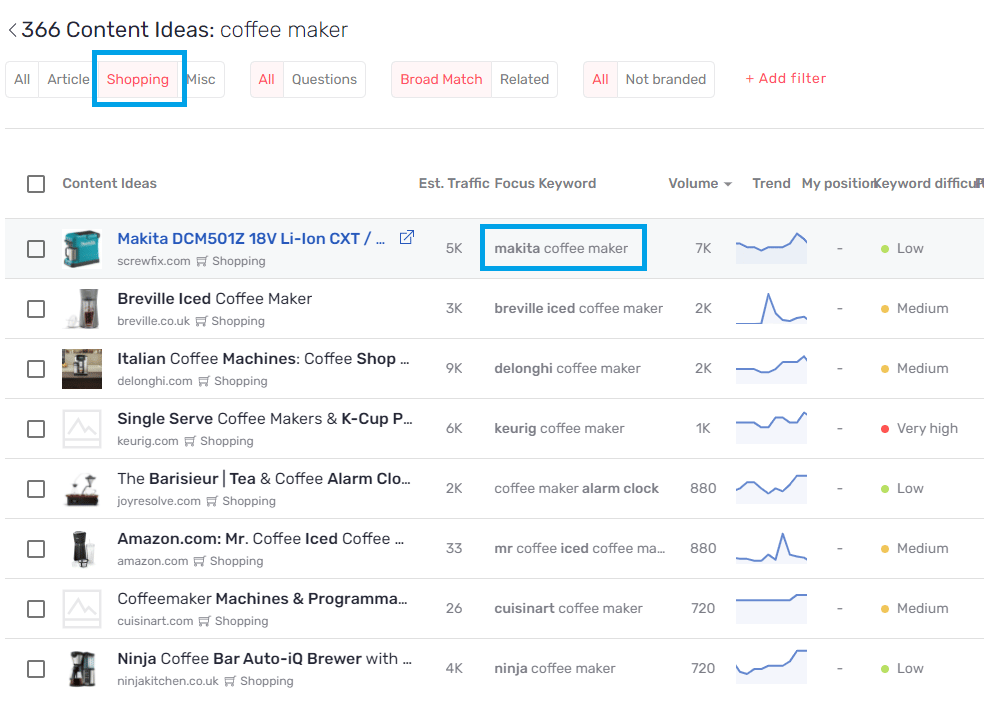
Use content ideas to optimize the visibility of your brand content
Search on your brand name from the Content Ideas tab. You’ll get a list of queries that contain your brand. You can thus quickly check which content of your site is positioned, what is their position at the moment and especially identify the possible keywords on which none of your content is positioned. For example, on the brand “semji” in France, several keywords are proposed. We see that none of the content on the website semji.com is positioned on the keyword “semji avis” (which means “reviews”). A “quick-win” strategy can therefore consist in optimizing the page of the site collecting customer testimonials on this term. Another option is to create a new page dedicated to this keyword. In this way, we ensure that we control the maximum number of requests that concern our brand by positioning at least one of our own results. Good to know: your website is necessarily more legitimate than any other in the eyes of Google to be positioned on your brand name and its associated queries. You have a good chance of reaching the first place, so don’t deprive yourself of it!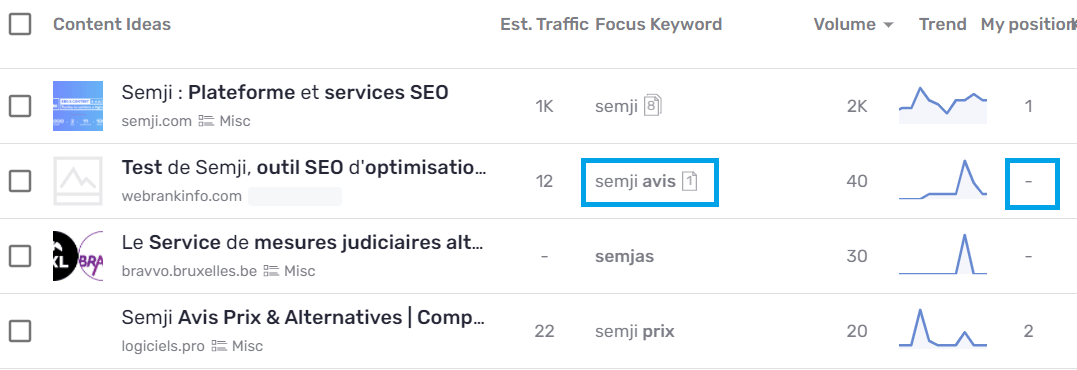
Use content ideas to analyze your visibility on a global theme
Run a search on a theme on which you think you’ve already done a good job in your site’s content. Find out which keywords are not ranking for any of your content and decide if you need to create new content to target them. Also check the Google position of your existing content at the moment of the search and plan to optimize those whose position can be improved. By adding them to the Planning and running an analysis, you can for example discover new internal link opportunities not yet exploited, thanks to Semji’s Incoming Links recommendations. Reinforcing the linking of your existing content is a “quick-win” process that can have an impact on your positions and your SEO traffic! Good to know: some of your contents are already in first position on Google on their main keyword? Congratulations! Nevertheless, the tentation is strong to rest on it and do nothing. Think big, be ambitious: if your content is already relevant in the eyes of Google, you have all the more chances to rank first on other keywords of the theme, especially on related keywords and long tail. To do this, create new content on the keywords not yet targeted, or optimize the last existing content that are not yet positioned in top 1.When should you choose to create new content rather than optimize existing content?
You have noticed that one of your existing contents is positioned in the top 100 on an interesting keyword? Depending on the current position of this content on the keyword, it may be a question of optimizing it, or of creating a new content separately. This decision should be motivated by one main consideration: does the content rank in the top 30 (between 1st and 30th position in Google results) or beyond? We usually recommend to our clients to create new content if the position of an existing content on a keyword exceeds 30. This usually means that the existing content is not considered relevant enough by Google for the keyword. Optimizing content that is already positioned in the top 30 does not necessarily require much effort, because the content is already well oriented on the target keyword. On the other hand, in the case of content that is positioned beyond 30, optimizing it to make it relevant would take almost the same time as creating new content. We therefore advise you to choose the second option and instead direct your existing content towards a focus keyword on which it is already better positioned. Good to know: check that the value of the column “My Position” taken at a given time is close to the average position observed over the last 30 days. To do this, click on the pictogram next to the keyword to open the Pages tab and view the average position, extracted from your Search Console. If the pictogram is not present, it means that the content has not been imported into the Pages and that it is not part of the priority content according to the Semji platform. You can then perform one of the following actions:- import the url into the Pages using the “Import” button in the top right corner, setting the studied keyword as focus keyword.
- analyze the average position of the url on the keyword directly from your Search Console.
How does the Content Ideas tab work?
When you launch a search from an initial keyword, the Semji platform performs the following operations:- Mass data retrieval: we analyze the Google SERPs on several hundred keywords belonging to the theme. Through this scraping stage, we analyze the content positioned on the first 100 Google results. This is when we identify if any of your website’s content is ranking well.
- Exclusion of duplicates: we deduplicate the keywords in order to keep only unique search intents and avoid creating cannibalistic content from an SEO point of view. This operation has a real added value compared to your classic keyword research: we found an average of 50% of duplicate keywords to be removed!
- Categorization: thanks to a proprietary algorithm based on artificial intelligence, each keyword that gives you an idea of content is classified as “Article”, “Shopping” or “Miscellaneous”. This category corresponds to the search intent and the type of content you need to create to target it. Thus, an “Article” keyword corresponds to an informational intent and requires the creation of an article type content, blog, advice … with a high proportion of editorial text.
Good to know 💡: By indicating the type of content you need to produce to match Google’s expectations, you have a better chance of ranking in the top 10 of the SERP.