

 Home
Home Getting Started
 Help Center
 Developer
 Status
How to link your Piwik Pro account to Semji?
Follow the steps below if you have subscribed to the Piwik Pro integration.Step 1:
Access the settings located in the left sidebar.Step 2:
In the workspace settings tabs, click on “Integrations”.Step 3:
Here you can link your web analytics tools. Click on the Piwik Pro “Connect” button.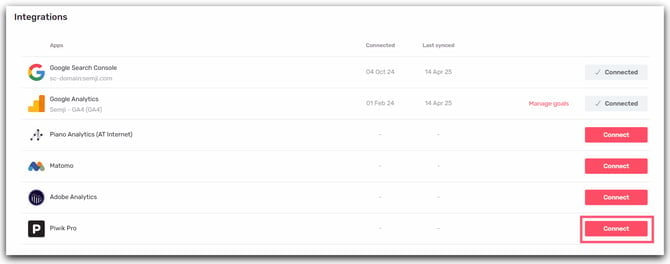
Step 4:
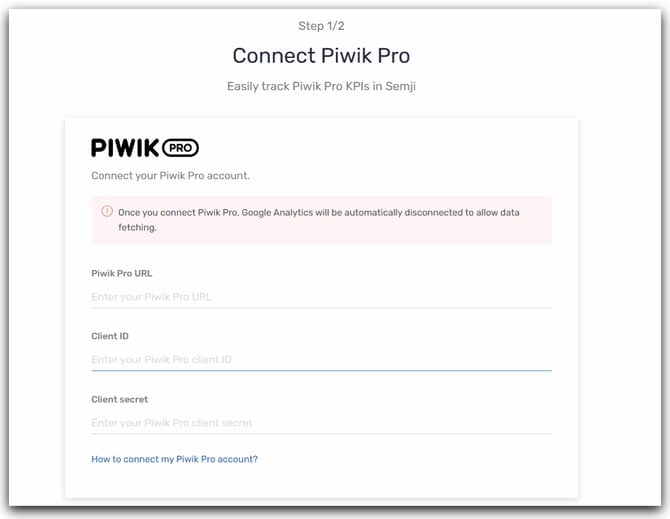
To link your Piwik Pro account to Semji, you must:- Enter the Piwik Pro URL
- Enter the Piwik Pro access key
- Enter the Piwik Pro secret key
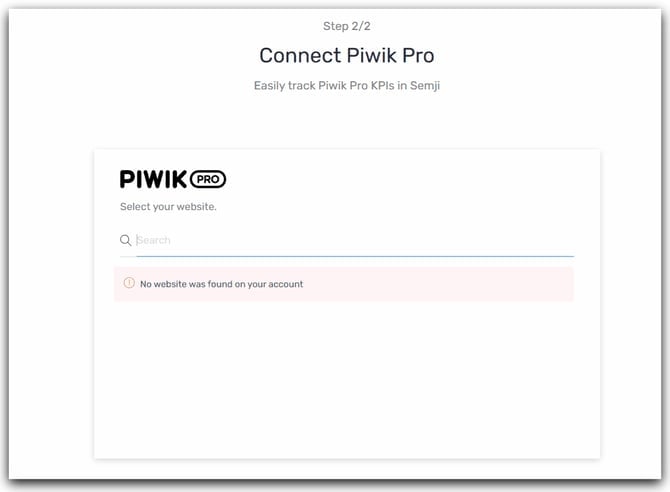
- Select your website
Find out How to track these custom conversion goals in Semji!