Home
Home Getting Started
 Help Center
 Developer
 Status
Why track custom conversion goals with Semji?
To track the performance of your contents
The Semji platform allows you to track a set of metrics (also called KPI - Key Primary Indicators) to monitor the SEO performance of your content. Among these key metrics, we find the organic traffic, which allows us to know the number of visitors to the site from the Google search engine, and we also find the conversions.To prioritize your content optimization actions
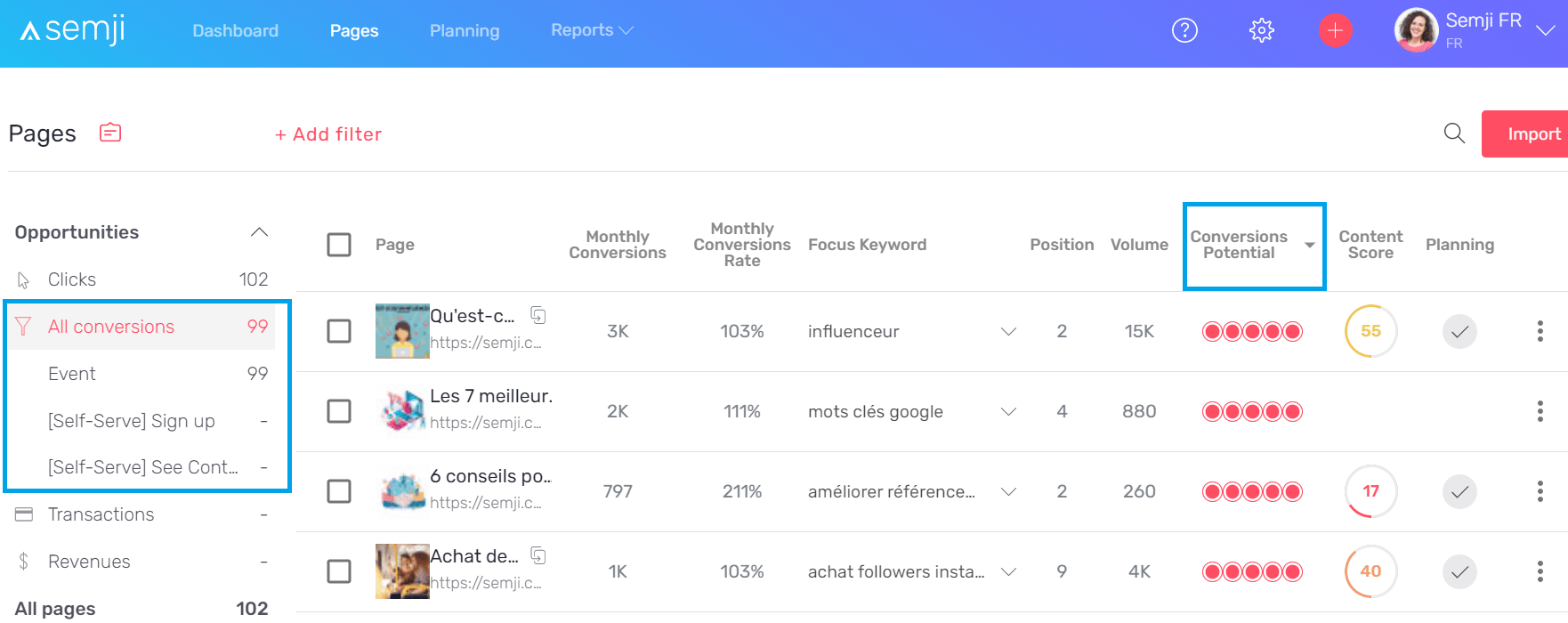
Semji allows you to quickly see which content should be optimized first to get the maximum benefit with the minimum effort. To do so, go to the Pages tab where your existing contents are listed.By clicking on “All Conversions” in the left side menu, you will find the Conversion Goals set up in Google Analytics (we will see how below).
What is a conversion?
A conversion is the name given to a high-value action in your marketing strategy. This action is performed by your visitors. On a website, visitors are often prospects, potential customers. Some of the actions they perform on the site demonstrate a particular interest or commitment to your products or services. It can be very important for you to track these actions, to know where they come from, how many there are and to observe the general trend: are conversions increasing or decreasing? This allows you to know if your marketing strategy is successful and if your user journey is conclusive in order to transform a maximum of visitors into customers. The ratio between the number of visitors and the number of conversions is called the conversion rate. The conversion rate is also an indicator that you can track with Semji. Discover all the KPIs you can track in your Reports tab!What is a custom conversion goal?
To monitor conversions, you need a web analytics tool, like Google Analytics or AT Internet. You can thus visualize in the interface the number of conversions over a given period, and on a page or a set of pages. In order to display the data you are interested in, your analytics tool requires you to define the nature of high-value actions, the so-called conversions. Is it a click on the “Submit” button after the visitor has filled out a form to request documentation or a quote? Is it the number of times an item was placed in the shopping cart? Where an order was placed? Generally, we track several types of conversions, more or less engaging in the user’s decision path. This makes it possible to analyze and understand the stages during which the visitor leaves the path and does not take action. We can then deduce what needs to be improved to remove the obstacles and help them make a decision. For example: The visitor searches for “semantic cocoon” on Google. He clicks on a natural result and arrives on an advice article from an SEO content agency that defines what a semantic cocoon is. He reads it to the end and clicks on a button that encourages him to download a white paper on the subject. → This download action is engaging: the visitor expresses an interest in cocoons and in the content provided by the company. If the visitor is convinced by the agency’s expertise and wants to get in touch to get help with his marketing strategy, he goes to the contact page of the website and fills in a form to express his need. → Here too, the contact request is very engaging. The visitor expresses his interest in the offered services. We assume that he is very advanced in his decision process and likely to take action (meaning that he is ready to pay to be helped on its SEO strategy). These two actions can be defined in your web analytics tool as conversion objectives. These are actions you are trying to generate through your marketing strategy (SEO, content production…), and that you will therefore need to monitor regularly. Hence the term “objectives”.How to define a custom conversion goal?
Google Analytics has documentation that allows you to set up custom conversions. Check it out for more details.Documentation Google Analytics
How to track Custom conversions with Semji?
The content you create or optimize with Semji can have several objectives: to be read, but also to direct to a file to download, a contact page, to trigger a purchase, to make people click on an ad… You therefore need to monitor these objectives with a macro and micro view of the content created. How many conversions did the content generate last month? But also, which content is the most relevant, the most effective to generate quote requests? Which content is most successful at driving downloads? In short, did the content you wrote meet the objectives you set?Setting up the data upload in Semji
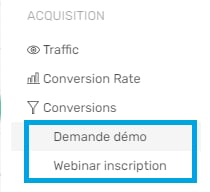
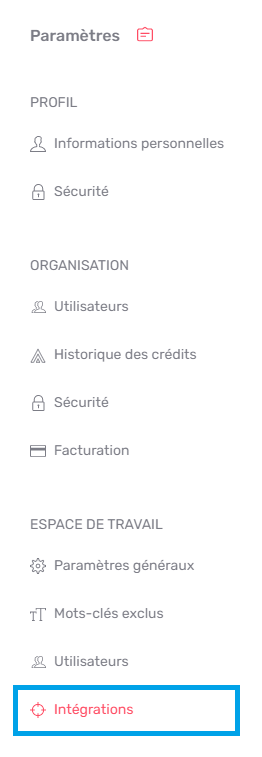
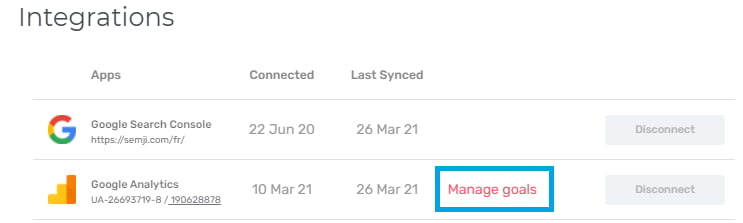
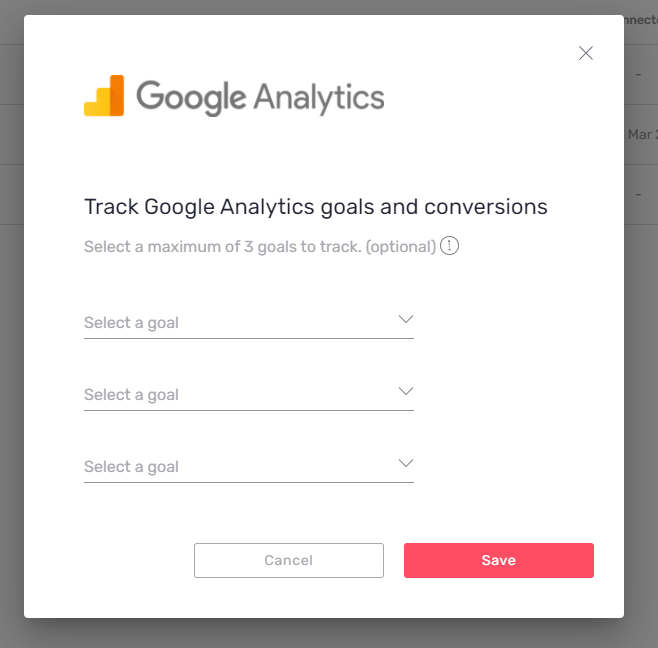
Note: for the moment, Semji manages the display of custom conversion goals that you have set up with Google Analytics. If your tracking tool is AT Internet, contact our team to know when Semji will be updated on the subject. Once your conversion objectives have been set up in Google Analytics, you must indicate them to Semji so that they appear in your Reports tabs. To do so, go to the Settings of your workspace.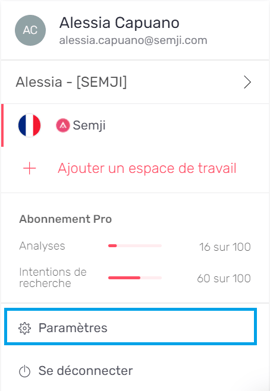
How to view custom conversions in Semji?
In Semji, you always have several ways to view the performance of your content. You can track custom conversion goals in a macro or micro way. Please note: conversion goal data may take several minutes to display after you select it in the workspace settings. This delay may be due to the amount of content involved in retrieving this new conversion data and the ongoing load on our platform related to all users. If some of the global metrics start to appear, they may be out of sync with their actual configuration during this time. We suggest that you reanalyze them later.Conversions in the Reports tab
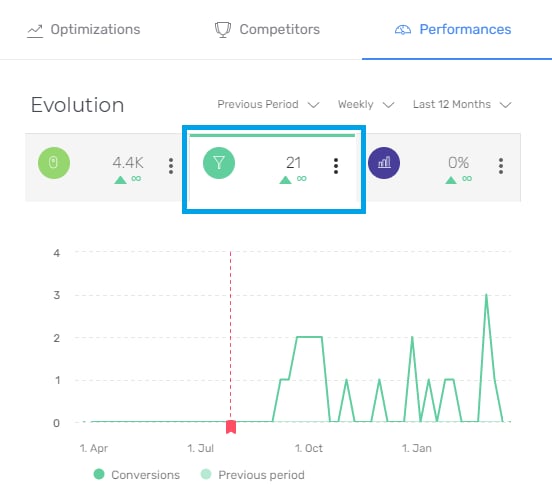
Choose the New Content or Updated Content view, then simply click on the “Conversions” tab of the main graph to see the conversions generated over the period, as a graph.


Conversions in the Content Performance tab
Go to the Planning tab and the Published sub-tab.