Home
Home Getting Started
 Help Center
 Developer
 Status
Focus Keyword : what is it ?
The Focus Keyword is the priority keyword on which you want to rank your content in Google. It is the Focus Keyword that drives the Semji’s recommendations in the sidebar. When opening the content editor, the Focus Keyword appears in the top right bar.
Focus Keyword : how does it work?
When you select a Focus Keyword, Semji runs an analysis. This analysis allows to :- Retrieve keyword-related data (traffic, position and search volume displayed directly in the input bar)
- Calculate the Content Score (the score out of 100 of your content)
- Analyze the SERP (Search Engine Results Page) and competing content
- Create writing recommendations for your content: length, headings, questions, topics, incoming links…
Focus Keyword : how to choose it for a New Content ?
If you want to create a content from scratch (New Content), the choice of the Focus Keyword is always the first step.Some simple and common sense rules
Your focus keyword should:- be representative of your business or a topic you are an expert on and want to talk about
- have an interesting search volume in relation to your market, your sector and your target, and therefore has the potential to bring you traffic
- not be confusing (beware of acronyms that may be used by several industries or in other languages)
- be a keyword on which you want to rank for to generate traffic.
- be a keyword for which there is no other page on your site that ranks well or would be more relevant.
Some additional tips for choosing Focus Keyword
Think about the issue of your content to know if the chosen Focus Keyword should be informational or transactional.- Transactional keywords: they reveal an intention to buy or to take action by the Internet user. Examples: “linen skirt”, “buy linen clothes”.
- Informational keywords: they reveal an intention of documentation, of deepening a subject, of answering a question… Examples: “cotton or linen clothing?”, “linen production in France”.
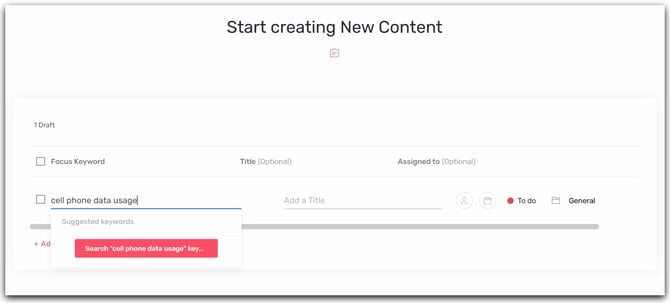
Select the Focus Keyword when creating a Draft for a New Content
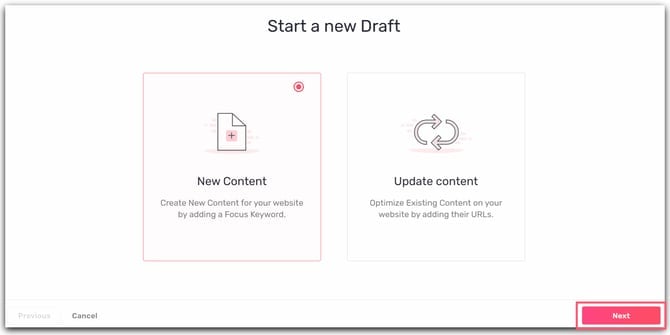
To create a new content, you must create a new draft. Wherever you are in Semji, click on the ”+” button on the top left and choose to create a New Content by checking the corresponding box. Go to the next step by clicking on Next at the bottom right.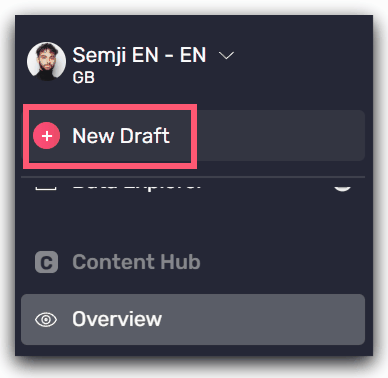
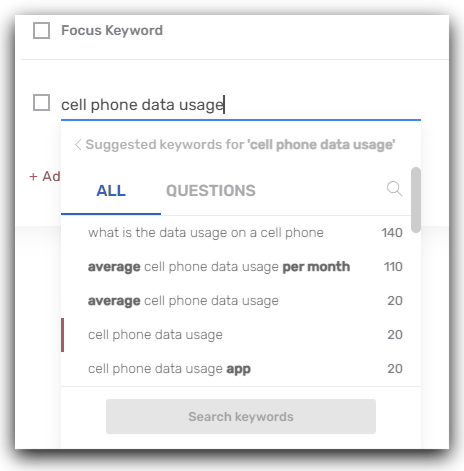
- Keywords with high search volumes, ranked in descending order
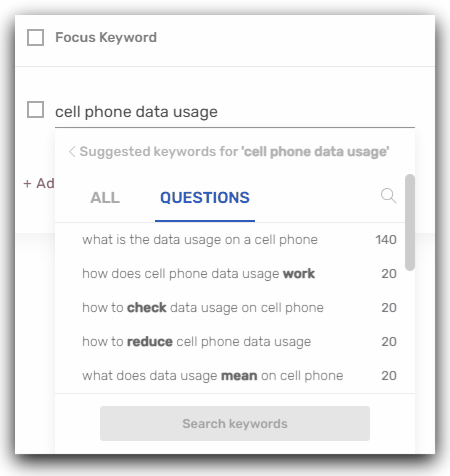
- Frequently asked questions from Internet users, corresponding to search intentions, again ranked by decreasing search volume