

 Home
Home Getting Started
 Help Center
 Developer
 Status
Where to find this feature ?
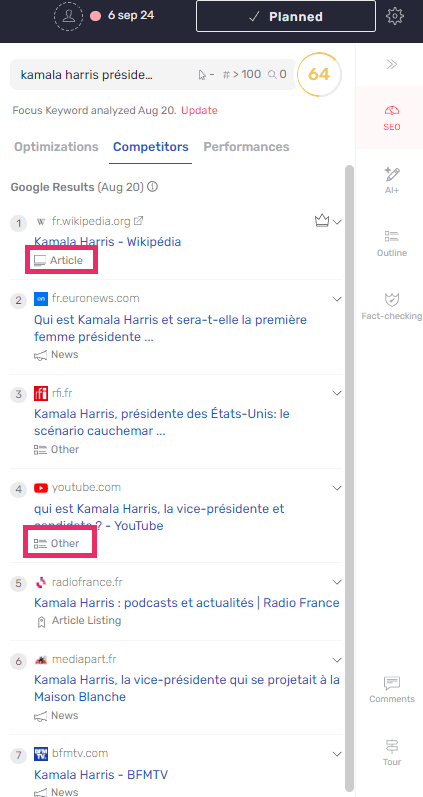
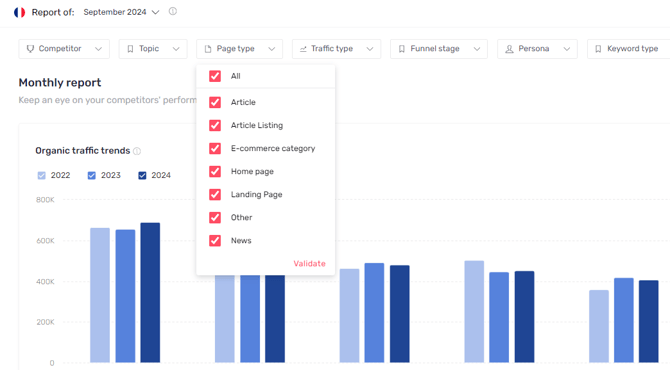
This feature allows you to filter and analyze your pages based on their type (product page, article, etc.). It helps you gain a better understanding of your content’s performance and optimize your strategy. You can find this filtering option in the following sections of the platform:- Competitors in the editor (below)
- Idées de contenu
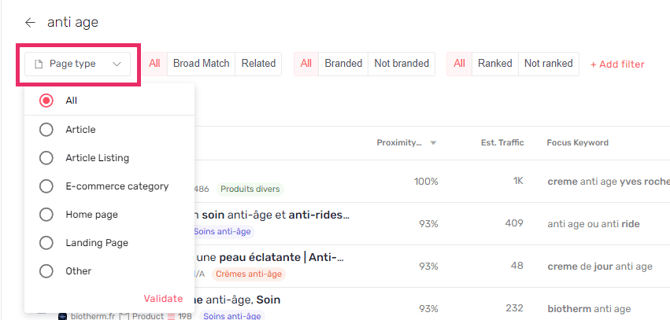
- Search Intelligence
How does this new feature work ?
Page types are automatically assigned to each page using an AI prompt that analyzes the page title, URL, and SERP snippet. This helps you better understand your content’s performance based on its type. This categorization is used to:- Visualize content performance with greater accuracy.
- Adjust your content strategy based on the types of pages that need to be optimized or created.
List of Page Types and Definitions
Here are the 10 page types currently defined on the platform:- Home page The homepage of a website.
- Article listing A page listing multiple articles or news items.
- E-commerce category A page listing multiple products of the same type, often within an e-commerce category.
- Article Blog post, practical guide, or in-depth topic article.
- Product page A page dedicated to presenting a product, often associated with an online purchase.
- Landing page A page showcasing services, offers, or allowing users to request a quote.
- News News article about a specific event.
- Tool A page containing an interactive tool, such as a calculator or simulator.
- Forum A page or message within a forum.
- Other